Apex Legends: Shockwave Update
Z@Zaheershaikh
Price on request
BuyX, formerly Twitter, is a good place to share your opinions and reach an audience, but getting thousands of followers there takes a long time.
That's why some people buy and sell X accounts that already have followers and reach. If you're just starting out on social media, an account like that can save you a lot of time.
Know the rules before you buy. X's rules forbid buying or selling accounts and usernames, and X can suspend accounts that are bought or sold. Escrow covers your payment during the deal, but it can't protect the account from X. If the account has a blue checkmark, the checkmark doesn't come with it. It's a paid X Premium subscription tied to the owner's payment details, and changing the name or photo can remove it until X reviews the account.
You can find X account listings in the Twitter section of EPICSWP.
Below is how to buy or sell an X account and how to prepare it for the transfer. Follow the steps in order.
Once you've bought an account, secure it by changing the password and the email.
The steps below use the X website, but the app has the same menus.
1. Open X and sign in to the account with the login the seller gave you in the deal chat.
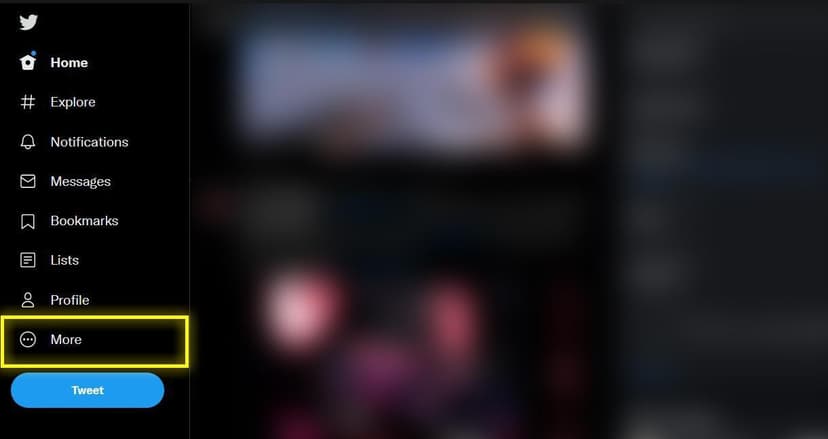
2. Once you're logged in, click "More" on the left side of the screen.
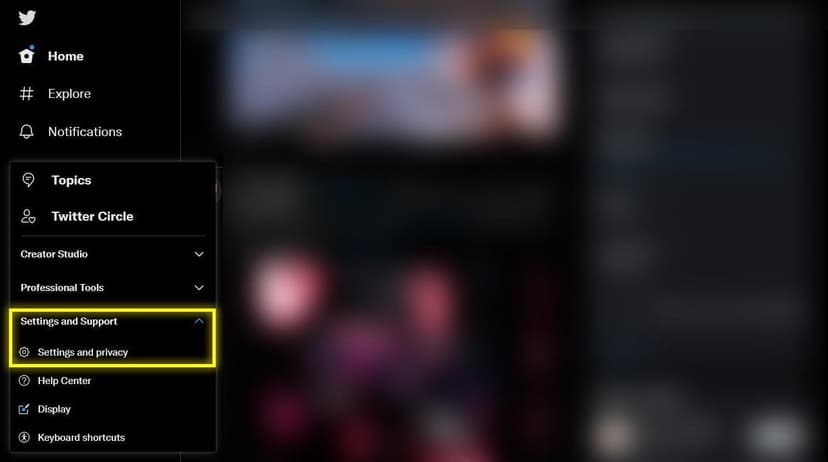
3. A menu appears. Click "Settings and Support", then "Settings and privacy".
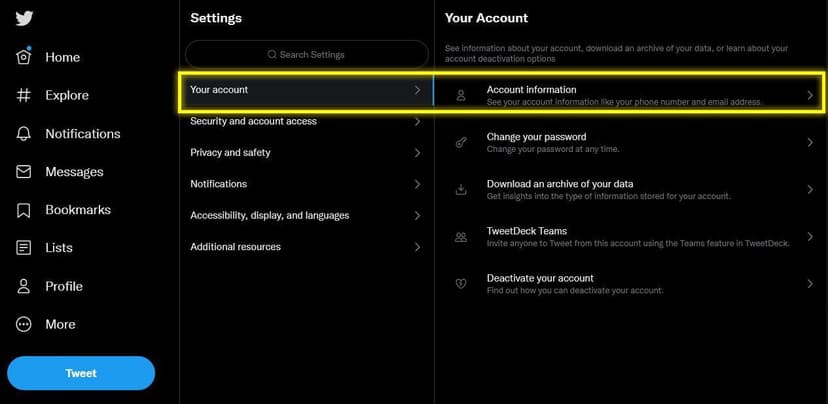
4. A new menu opens. Click "Your Account", then "Account information".
5. You'll see the account's details. Click the email address.
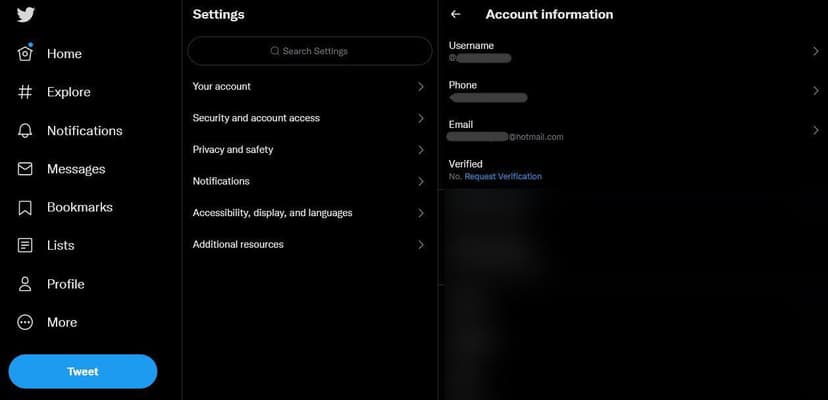
6. X asks for the password. Enter it, click Update email and follow the prompts to change the email.
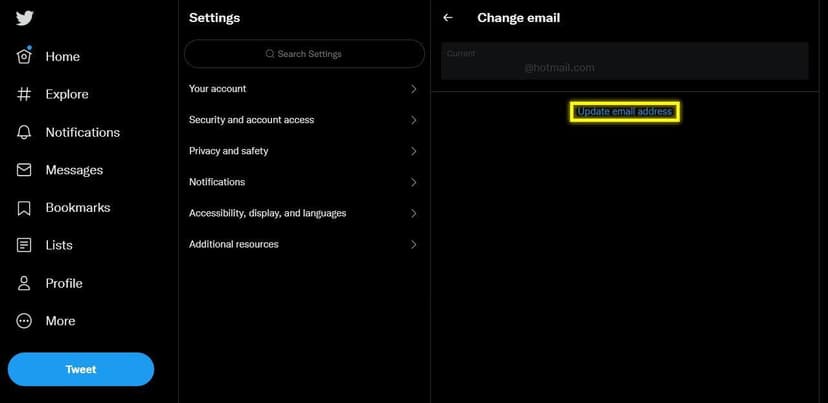
7. To change the password, go back to step 4 and click "Change your password" instead of Account information.
If you're selling, prepare the account first so the buyer can sign in without problems.
The main thing to check is whether two-factor authentication is turned on. If it is, the buyer will have trouble signing in, so turn it off before you hand over the login.
To turn it off:
1. Open the settings as described above. Click "Security and account access", then "Security".
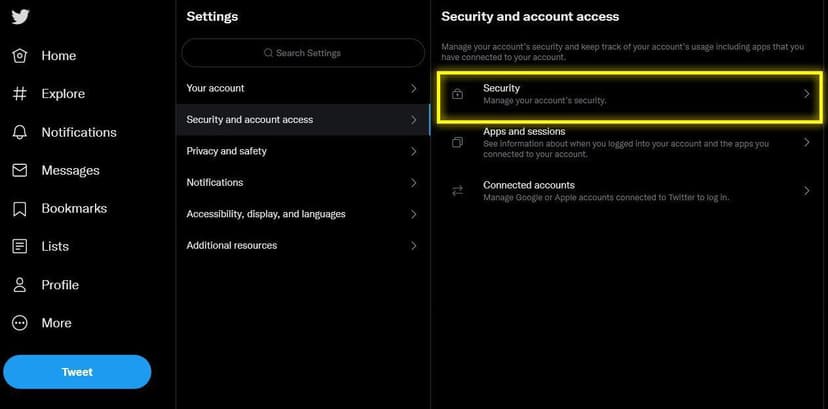
2. Click "Two-factor authentication". If any of the boxes are checked, two-factor authentication is on. Uncheck them to turn it off.
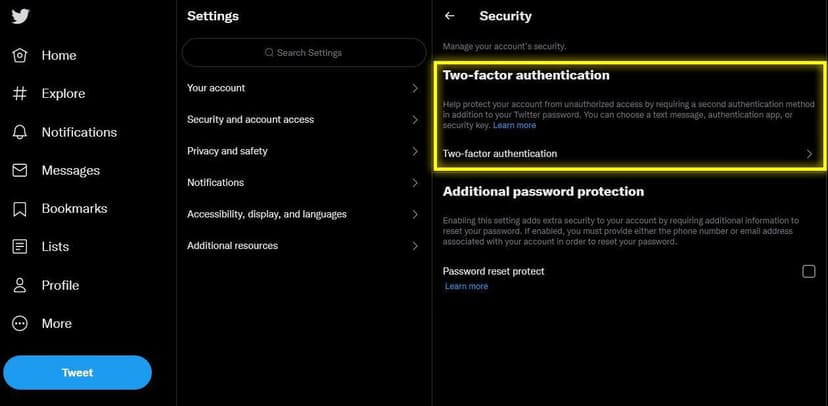
Screenshots come from the seller. Check the account yourself in the deal chat before you confirm receipt; the money stays in escrow until you do.
Page Views
1,263
Price
Price on request
Message the seller to agree a price
Funds held safely in escrow until you confirm receipt. If anything goes wrong, open a dispute and a moderator will intervene.
Seller
0
deals
Not yet
ID check
3y
tenure
Aegis-monitored deal chat
Every message is scanned for scams. Off-platform payment requests are blocked automatically.
Your payment stays held by EPICSWP until you confirm. Check each of these on the live account first, and if anything doesn't match, open a dispute instead of confirming.
Most game publishers' terms don't allow accounts to be sold or transferred, and the publisher of Blogs can suspend an account that has been. Escrow protects your payment from the seller, but it can't overrule the publisher.
About this listing
Do not confirm receipt. Open a dispute from the transaction page while your payment is still held in escrow. A moderator reads the deal chat and the evidence from both sides and decides the outcome, which can mean the full amount goes back to you.
No, and you should treat any such request as a warning sign. Paying outside the platform removes escrow entirely: there is no held payment, no dispute process and no recourse if the blogs is never delivered. Off-platform payment requests are against the rules and can be reported from the deal chat.
The buyer pays the seller's price plus the 6% escrow fee, and EPICSWP holds the money. The seller hands the account over, the buyer checks it and confirms receipt, and only then is the seller paid.
The methods offered at checkout. Payments can't be reversed once made, which protects sellers from chargeback fraud.
Either side can open a dispute before the buyer confirms receipt. A moderator looks at the deal chat and the evidence from both sides and decides who gets the money.
Listing is free. The buyer pays the 6% escrow fee on each deal, and sellers pay a 3% fee when they withdraw from their EPICSWP wallet.
It is held in escrow from the moment you pay, and it moves only when the buyer confirms receipt or a moderator decides a dispute.